


How to Choose the Right Smart Home Garage Door Controller
Key Takeaways
1. Smart garage door controllers give remote access, letting you open, close, and monitor your door from anywhere via phone or voice commands.
2. Prioritize opener compatibility, strong Wi-Fi range, and encrypted connections with two-factor authentication when selecting a smart garage door controller.
3. Raynor Door Authority installs your smart controller, verifies opener compatibility and safety standards, and guarantees reliable system connection.
What a Smart Home Garage Door Controller Actually Does
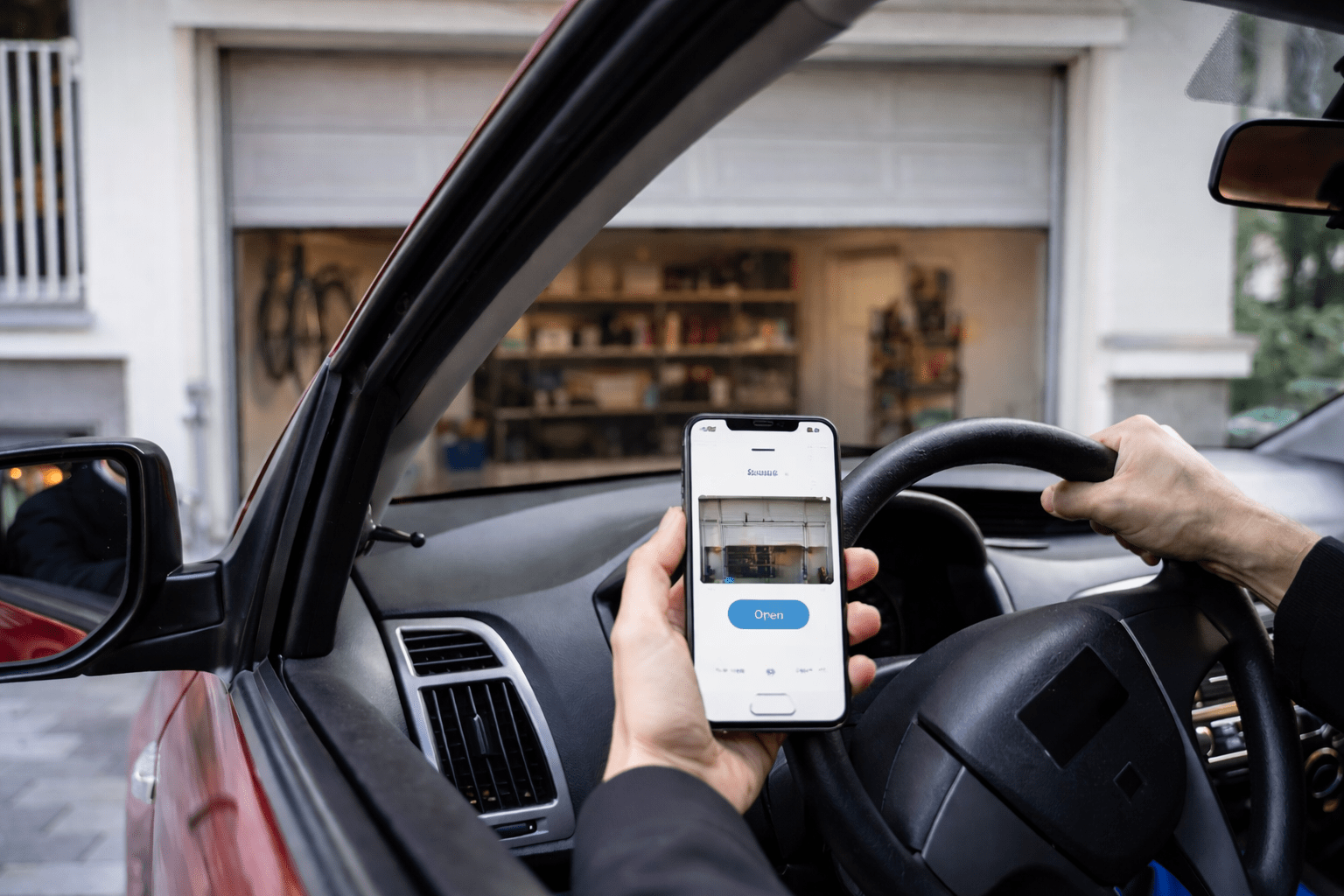
A smart garage door controller lets you open, close, and monitor your garage door from your phone, voice assistant, or automated schedule from anywhere with an internet connection. It’s an add-on device that connects your existing opener to your home Wi-Fi network.
Most models include a sensor that mounts on the door itself to detect whether it’s open or closed. That sensor is what gives you real-time status updates and not just the ability to tap a button.
Here’s what most smart controllers let you do:
- Open and close your garage door from anywhere with a phone or tablet
- Get notifications when the door opens or closes
- Set schedules to automatically close the door at a certain time
- Share access with family members without giving out a remote or code
- Control the door with voice commands through a smart speaker
- View an activity log showing when the door was used and by whom
Some higher-end models add a camera so you can see the garage in real time. Others integrate with broader smart home routines – like turning on the garage lights when the door opens at night.
Key Features to Look for Before You Buy a Garage Door Controller
The features that matter most are opener compatibility, smart home platform support, Wi-Fi reliability, real-time alerts, auto-close scheduling, and app security. The rest is personal preference.
Compatibility with your opener is the most important factor. Most controllers work with standard chain-drive, belt-drive, and screw-drive openers made after 1993. But some older or proprietary models don’t play well with every controller. Check the manufacturer’s compatibility list before you buy anything.
Smart home platform support comes next. If you already use Alexa, Google Home, or Apple HomeKit throughout your house, you want a controller that works natively with that platform. Some controllers support all three. Others only work with one or two.
Wi-Fi range and reliability matter more than people expect. Your garage is often at the edge of your home’s Wi-Fi coverage. A controller with a weak radio will drop connections and stop responding. Look for models that mention a strong Wi-Fi range, or plan to add a Wi-Fi extender in the garage.
Real-time alerts should be instant, not delayed by minutes. The whole point of a smart controller is knowing what’s happening at your garage. If notifications show up five minutes late, that’s a problem.
Auto-close timers are a small feature that makes a big difference. You can set the door to close automatically after a set number of minutes if you forget. Some models also let you set a nightly schedule – like closing the door at 10 PM every night, no matter what.
Encryption and security shouldn’t be an afterthought. Your garage door controller is an access point to your home. Look for models that use encrypted connections and two-factor authentication on the app.
How Smart Garage Door Controllers Work With Your Existing Setup
Smart controllers wire into the same terminals your wall-mounted button uses and send the same open/close signal to your opener’s motor. You don’t need to replace your existing opener in most cases.
The sensor component is usually a tilt sensor or magnetic sensor that attaches to the top section of the door. When the door moves, the sensor tells the controller whether it’s open or closed.
If your opener responds to a standard wall button, a smart controller can almost certainly work with it. The exceptions are some older units without safety sensors or openers with proprietary wireless systems that block third-party devices.
If your opener is more than 15 to 20 years old, it might not have the safety features required by current standards. In that case, upgrading the opener before adding smart controls makes more sense than trying to retrofit old equipment.
Popular Smart Home Platforms and Garage Door Compatibility
Most smart garage door controllers work with Alexa and Google Home, while Apple HomeKit support is less common, and IFTTT offers the most customization. Here’s how each platform handles garage door control.
Amazon Alexa
Alexa works with most major smart garage door controllers. You can use voice commands to check the door’s status and close it. Opening the door by voice requires an extra confirmation step for security – Alexa will ask you to confirm with a PIN before opening.
Google Home
Google Home integration works similarly to Alexa. You can check status and control the door through voice commands or the Google Home app. Most controllers that support Google also work with Google routines, so you can include the garage door in “leaving home” or “arriving home” automations.
Apple HomeKit
HomeKit compatibility is more limited. Fewer controllers support it natively, so if you’re an Apple household, check HomeKit compatibility first. The upside is that HomeKit controllers tend to have strong encryption and integrate tightly with the Apple Home app and Siri.
IFTTT and Other Automation Platforms
Some controllers support IFTTT (If This Then That), which lets you create custom automations beyond what the native apps offer. For example, you could set your garage door to open automatically when your phone’s GPS detects you’re within a certain distance of home.
| Platform | Voice Control | Remote Access | Automation Support |
|---|---|---|---|
| Amazon Alexa | Yes (PIN for open) | Yes | Yes – Routines |
| Google Home | Yes (PIN for open) | Yes | Yes – Routines |
| Apple HomeKit | Yes via Siri | Yes | Yes – Scenes |
| IFTTT | No | Via app | Yes – Custom applets |
Installation Options for DIY and Professional Setup
Most smart garage door controllers can be installed in 30 minutes to an hour as a DIY project, but professional installation is a better fit if your opener is older, your Wi-Fi is unreliable in the garage, or you’d rather skip the troubleshooting.
DIY Installation
If you’re comfortable using a screwdriver and following instructions, DIY installation is straightforward.
The basic steps are:
- Mount the controller hub near your garage door opener (usually on the ceiling or wall)
- Wire two leads from the controller into the same terminals your wall button uses
- Attach the door sensor to the top panel of the garage door
- Plug in the controller and connect it to your Wi-Fi through the app
- Test the system by opening and closing the door from the app
The most common DIY issue is Wi-Fi connectivity. If your garage is far from your router, the controller may struggle to stay connected. Adding a Wi-Fi extender or mesh network node in the garage solves this for most setups.
Professional Installation
A technician can check that your opener is compatible, wire the controller, position the sensor correctly, and make sure everything connects reliably to your network.
Professional installation also makes sense if your opener is older and you’re not sure whether it meets current safety standards. A technician can assess the whole system and let you know if the opener needs attention before adding smart controls.
Raynor Door Authority’s technicians can install your smart garage door controller, verify compatibility with your existing opener, and make sure the system is connected and working before they leave. Schedule an installation visit today.
Common Problems With Smart Garage Door Integration and How to Fix Them
Smart garage door controllers are reliable once set up correctly, but Wi-Fi dropouts, sensor misalignment, and automation conflicts are the most frequent issues homeowners run into. Here’s how to solve each one.
The Controller Keeps Disconnecting From Wi-Fi
This is the most common complaint. Garages are often at the edge of a home’s Wi-Fi range, and concrete walls and metal garage doors block signals. Moving your router closer isn’t always practical, so a Wi-Fi extender or mesh network node placed in or near the garage is the usual fix.
The App Shows the Wrong Door Status
If the app says your door is closed when it’s actually open (or the other way around), the sensor is usually the problem. Check that it’s mounted correctly and that the magnet alignment hasn’t shifted. Temperature changes can also cause mounting adhesive to loosen over time – using screws instead of adhesive tape is more reliable long term.
Voice Commands Aren’t Working
Make sure the controller’s skill or integration is properly linked in your smart home platform’s app. Alexa, Google Home, and HomeKit each have their own setup process for garage door devices. If voice commands stopped working after an app update, unlinking and relinking the integration usually fixes it.
The Door Opens or Closes on Its Own
This is almost always caused by an automation or schedule you set up and forgot about. Check your app for any active schedules, geofencing rules, or IFTTT applets that might be triggering the door. If you can’t find the cause, disable all automations and re-enable them one at a time to find the culprit.
The Controller Won’t Work With Your Opener
Some openers – particularly older models or those with proprietary wireless systems – aren’t compatible with third-party smart controllers. If you’ve confirmed the incompatibility, your options are replacing the opener with a modern unit that has built-in smart features or choosing a different controller brand that supports a wider range of openers. A Raynor Door Authority technician can help you figure out the best path forward.
Get Your Smart Garage Door Controller Installed Right With Raynor Door Authority
Choosing and installing a smart garage door controller involves more than just picking a device. You need to verify compatibility with your opener, ensure strong Wi-Fi coverage, prioritize security, and get everything set up correctly from the start.
A poorly installed system can lead to connectivity drops, sensor misalignment, and frustrating automation issues. That’s where professional installation makes all the difference.
Our technicians will:
- Verify your opener is compatible and meets safety standards
- Position your controller and sensor for reliable performance
- Test and optimize your smart home integration
Contact your local Raynor Door Authority team today to schedule a professional installation and get your smart garage door controller working perfectly.